
Using Search & Replace
Comments
Comments Off on Using Search & Replace
by MobileIQ on May 27, 2010
You can make global changes to the Headlight database using Fleet Manager. The basic steps are enabling edit from the customer view and using Search & Replace to update specific fields.
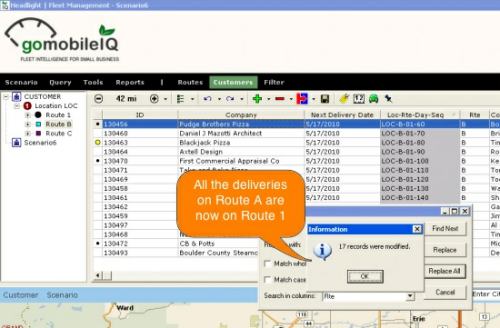
This example uses Search & Replace to change route days from A, B, C to 1, 2, 3.
[flashvideo file=assets/media/search-replace.mov image=assets/media/search-replace.jpg width=570 height=491 /]
Changing route days with Search & Replace
Usage
- All the deliveries on Route A will be moved to Route 1
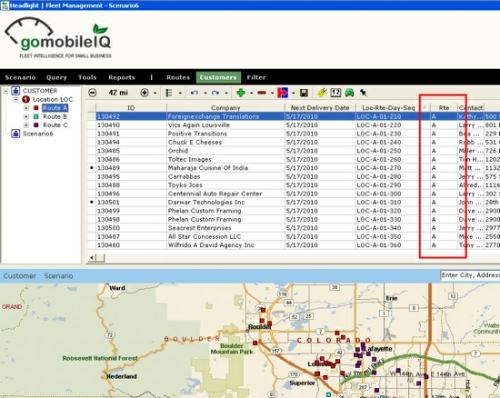
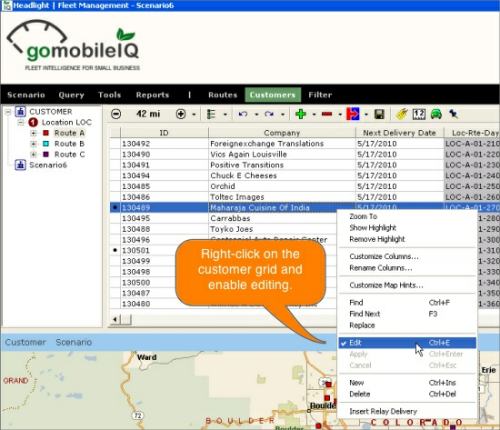
- Enable editing by right-clicking on the grid and select Edit
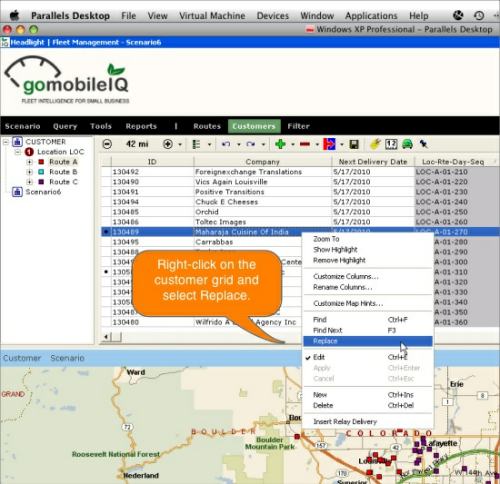
- Right-click on the grid and select Replace
- Change the search and replace criteria and click Replace All
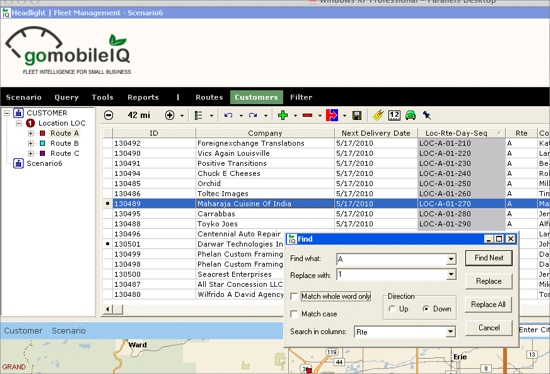
- Headlight updates all 17 deliveries on Route A
Tags: tutorials, using headlight, video